
Tips for Finding Items More Easily on Neokyo
Ever felt like you just can’t find the item you’re looking for? A few simple tricks can make all the difference. Here are 5 tips for using Neokyo’s product search more effectively — from search keywords to switching between shops and browsing category pages.
(1) Make the Most of Search Keywords
Start with your search keywords.
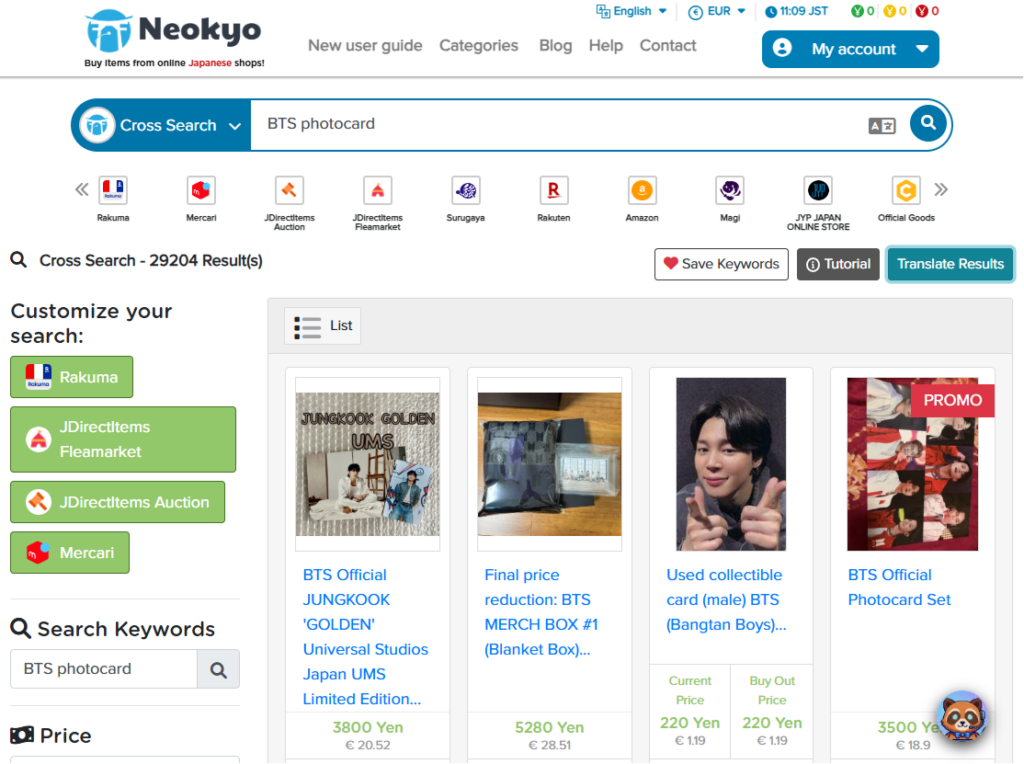
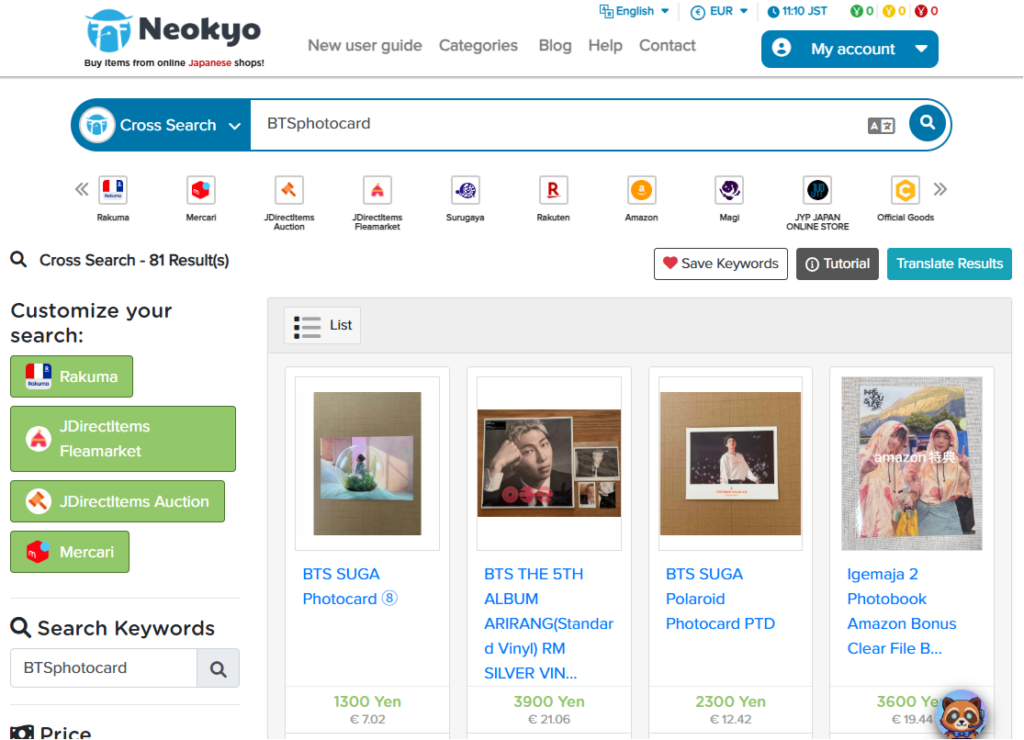
Try searching with and without spaces between multiple keywords
Adding or removing a space between words can change your results. Different shops handle spacing differently, so it’s worth trying both versions.
Toggle keyword translation on or off
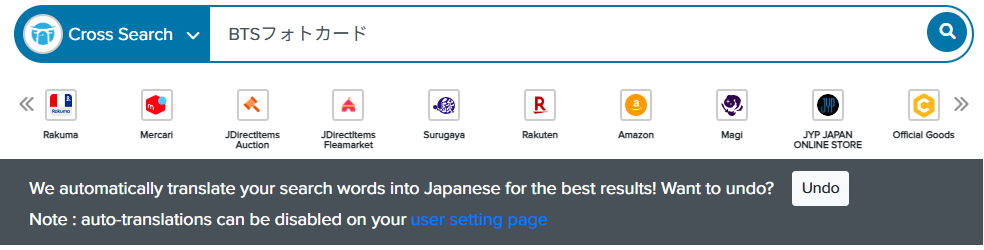
Neokyo automatically translates your search keywords into Japanese before searching. It’s a useful feature, but the translation isn’t always accurate. Proper nouns — product names, brand names — often perform better left untranslated. Not getting the results you expect? Turn off translation and search again with your original keyword.
(2) Turn On Translation for Search Results
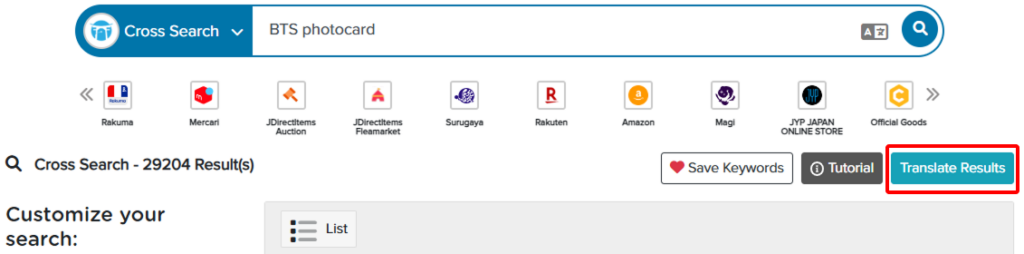
By default, listing titles show up in Japanese. If you’re not fluent in Japanese, it’s hard to tell at a glance whether an item matches what you want.
The “Translate Results” feature fixes this. Pick your display language, and listing titles appear translated. It’s an easy way to catch items you might otherwise scroll right past.
(3) Use Sorting and Filters
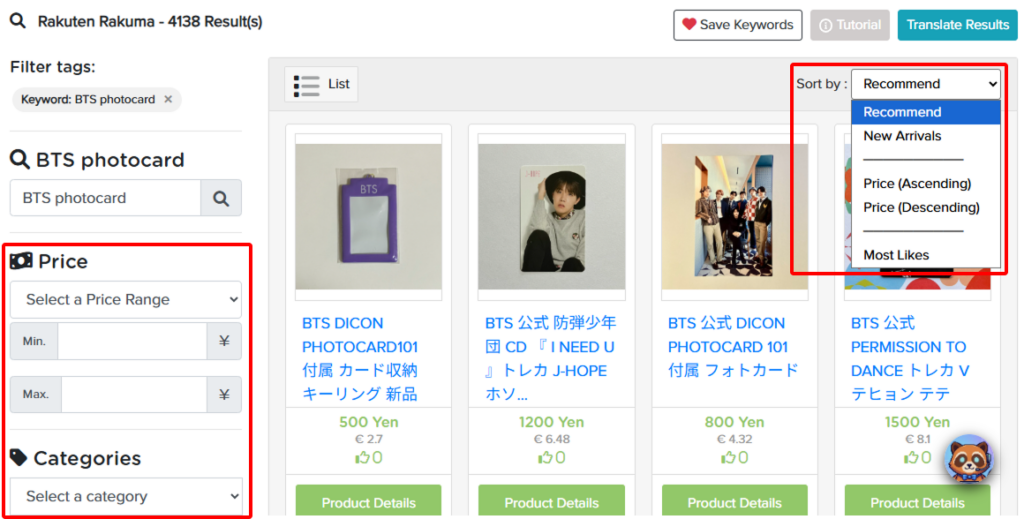
Too many results to sift through? Sort and filter.
- Change the sort order — lowest price first, or most recently listed
- Narrow things down with filters
Start with just one filter — price works well. Stack too many conditions at once and you’ll likely filter out items you actually wanted.
(4) Try Searching Other Shops
Neokyo searches one marketplace at a time. So if an item isn’t listed on the first shop you check, it might still be sitting on another.
Here’s roughly how the shops break down:
- Japan’s largest CtoC marketplaces: Mercari, Rakuma, JDirectItems Fleamarket
- Japan’s largest auction site: JDirectItems Auction
- Specialty shops
- Anime & games: Suruga-ya, Colleize
- TCG (trading card games): Magi
- K-pop merchandise: JYPJ
- Handmade items: Minne
- Online autograph event items: Limista
- Shopping malls with many different stores: Amazon, Rakuten, JDirectItems Shopping — plenty of secondhand items alongside the new stuff
Don’t give up after one shop. Check a few others first.
(5) Browse Popular Category Pages
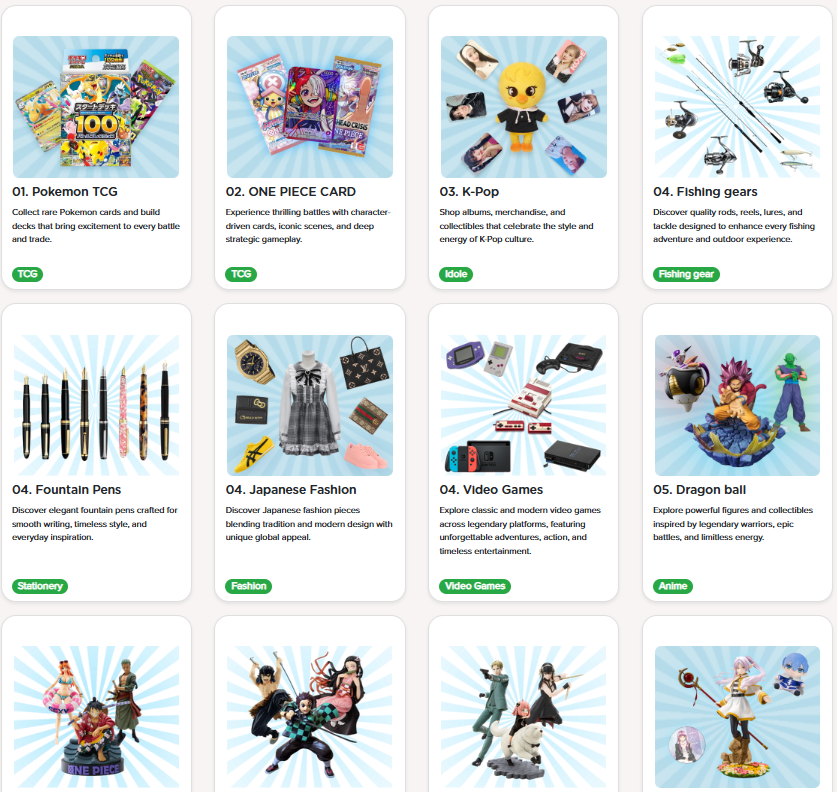
Keyword search coming up empty? Try Neokyo’s category pages instead. If one matches what you’re after, you might find the item in a single click.
A few examples:
Here is the list of all popular category pages.
Still no luck? Check sites that aren’t integrated with Neokyo. You can actually buy from almost any e-commerce site in Japan through us — finding the right site yourself takes some digging, but once you’ve found the item, just submit its URL through Neokyo’s “Buy Request” form. No listing on Neokyo, no problem.
We hope these 5 tips help you track down items you’d given up on. Give them a try next time you’re on the hunt.